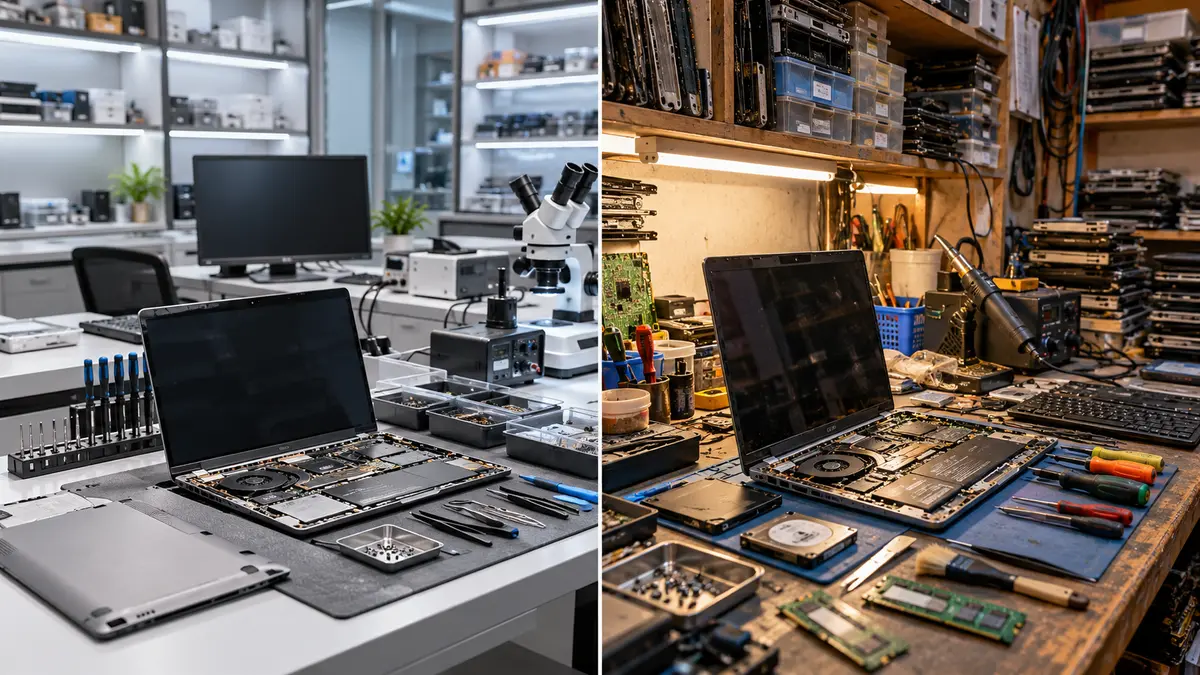
When comparing authorized vs local repair centers in Nepal, laptop users can choose between official brand-authorized service centers and independent local repair shops. Authorized centers are appointed by manufacturers or official distributors and are generally equipped to handle warranty claims and genuine replacement parts. In contrast, local repair shops operate independently without official brand affiliation. This guide compares both options based on key factors such as warranty coverage, parts authenticity, repair costs, turnaround time, data safety, service guarantees, and availability across Nepal. It also includes practical advice, real-world examples, a checklist for choosing a reliable repair shop, and a decision flowchart to help you select the best option for your laptop.
What is an Authorized Center?
An authorized service center is officially recognized by the laptop’s manufacturer (or its local distributor) to perform repairs. Such centers are trained in the brand’s technology, use OEM (original) parts, and are integrated with the manufacturer’s warranty system. In practical terms, this means if your laptop is under warranty, an authorized center can fix covered hardware issues free of charge, replacing parts with genuine manufacturer components. Authorized centers require proof of purchase (warranty card or VAT invoice) and provide official service guarantees per the brand’s policy.
What is a Local Shop?
A local repair shop is any independent technician or shop that fixes laptops without formal ties to the manufacturer. These shops are typically small businesses or market vendors. They perform general repairs and upgrades but are not backed by the manufacturer. Local shops often use third-party or generic parts instead of brand-original components. They don’t handle warranty claims; repairing your device at a local shop will usually void any remaining manufacturer warranty. Local shops may offer quicker turnarounds and lower immediate costs, but customers must be cautious about parts quality, training, and data handling practices.
Dimension | Authorized Center | Local Shop |
|---|---|---|
Warranty Impact | Manufacturer warranty honored; repairs under warranty are free. Using authorized service preserves your warranty. Only authorized centers can process warranty claims. | Warranty is voided. You must pay for all repairs and parts. There is no manufacturer-backed warranty support. |
Parts Authenticity | Uses 100% genuine OEM parts (authorised distributors). Components come with brand warranty. | Often uses aftermarket or generic parts. Quality can vary; cheaper parts may fail sooner. |
Technician Training | Technicians are typically brand-certified or specially trained (factory-trained). Service procedures and diagnostics follow official protocols. | Technicians’ skill and training vary widely. Some have experience or certifications, but many rely on general electronics knowledge. |
Turnaround Time | Generally longer, especially for parts replacements: often several days to weeks, as parts may need to be ordered. Support capacity is tied to manufacturer process. | Usually faster for simple fixes (often same-day or next-day for diagnostics and minor repairs). Complex tasks depend on shop load. |
Cost | If under warranty, labor/parts are free or subsidized. Out-of-warranty service can be expensive: genuine parts and official labor rates often cost more upfront. | Generally lower cost up-front. Labor rates and parts (generic or used) are cheaper. Initial quotes often much less, but risk quality. |
Data Privacy | Standard procedures for handling data; staff are trained to follow company policies, but still always back up your data before service. | Varies by shop. Often minimal data protections. Customers should remove/lock sensitive info and back up files. |
Service Guarantees | Offers official warranties on repairs per brand policy (e.g. part warranties, replacements under DOA rules). Replacement guarantees apply as per manufacturer standards. | Usually offers a short-term warranty on parts and labor (e.g. 1 month to 6 months). No long-term guarantee; often “as-is” after repair. |
Availability | Limited to major cities (Kathmandu, Lalitpur, Pokhara, etc.) and authorized outlets. Networks are smaller, so travel may be required. Often just one service center per city or region. | Ubiquitous in all urban areas and smaller towns. Many local vendors are in IT markets (New Road, Putalisadak, IT Plaza, etc.). |
Documentation Req’d | Must present original VAT invoice or warranty card to validate warranty. Service reports or official receipts given. | Typically none required beyond the device. Some may ask for ID or phone number, but no formal proof of purchase is needed. |
Risk Level | Lowest risk: Official parts, trained staff, standardized processes minimize errors. If something goes wrong, the manufacturer’s network backs it up. | Higher risk: Potential for improper fixes, data loss, or parts failure. Using non-OEM parts can compromise device or cause new issues. |
Pros & Cons
Authorized Centers
Pros:
Preserves warranty
Genuine parts
Trained techs
Official service standards
Manufacturer-backed guarantees.
Cons:
Can be more expensive
Slower turnaround
Limited locations
Strict documentation requirements.
Local Shops
Pros:
Lower immediate cost
Faster for minor fixes
Widely available
Flexible approach (some do board-level fixes that authorized centers may not offer).
Cons:
Void warranty
Often use generic parts (quality may suffer)
Tech skills vary
Data/privacy risks if untrusted
Usually only short-term repair guarantees.
When to Choose Authorized
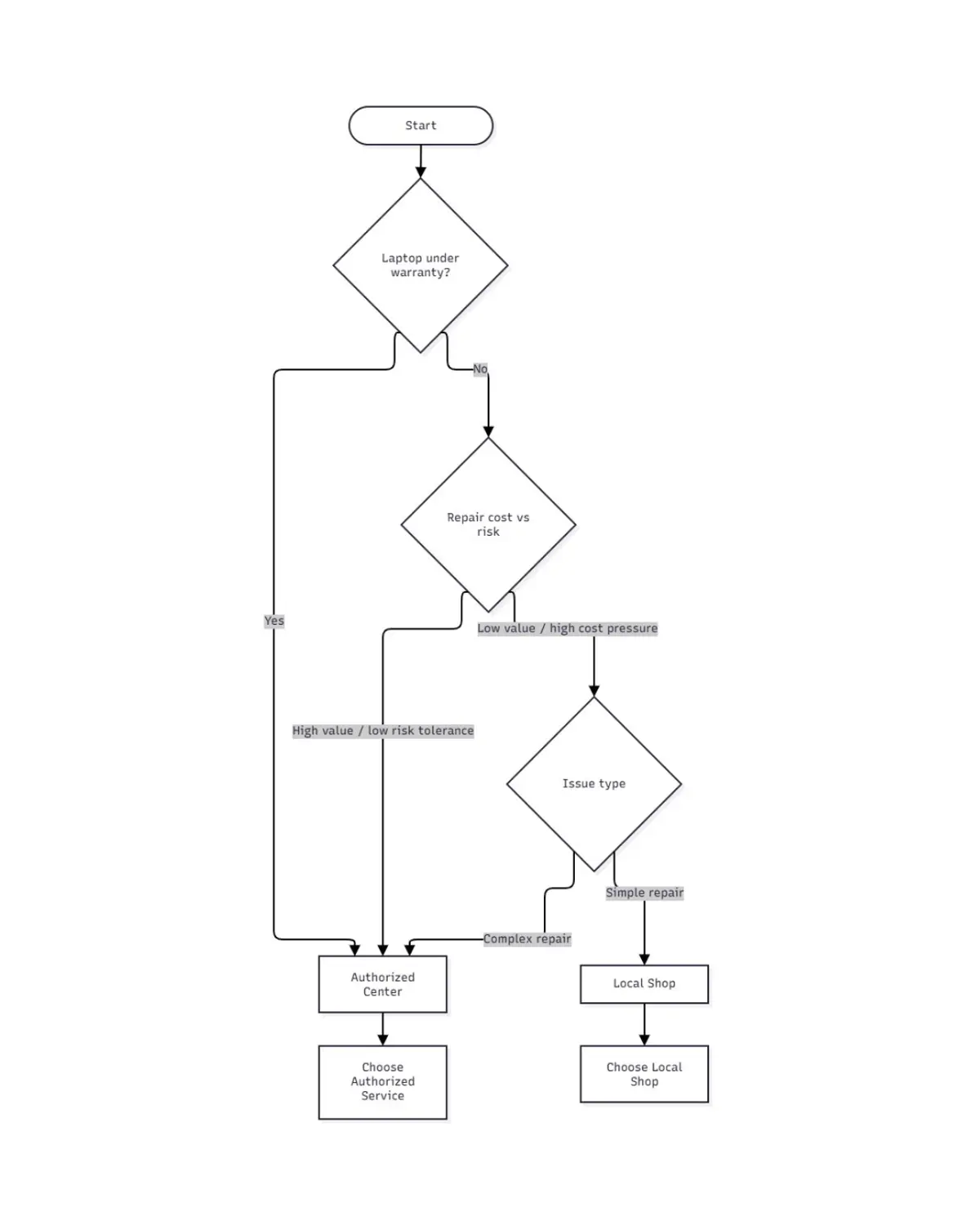
Under Warranty: If your laptop is still under official warranty, always use an authorized center to keep repairs covered.
High-Value Device: For expensive or critical laptops (e.g. work machines, costly gaming rigs), authorized service ensures genuine repairs with full support.
Complex Issues: When dealing with major hardware problems (motherboard faults, water damage, etc.), authorized centers have specialized tools and brand knowledge.
Data Sensitivity: If you have critical data or proprietary software, the professionalism of authorized centers may offer more confidence (though always still back up files).
Long-Term Ownership: As one guide concludes, short-term savings at a local shop are often outweighed by long-term support needs. If you plan to keep the laptop for years, the “safety net” of an authorized warranty can pay off.
When to Choose Local
Out-of-Warranty: If your warranty has expired, local shops become more attractive due to lower costs.
Cost Constraints: For budget repairs or older laptops (especially if you plan to replace soon), the cheaper upfront price can be worth it.
Quick Fixes: When you need a very fast turnaround for non-critical issues (e.g. new battery, fan cleaning), a reputable local shop may fix it the same day.
Non-Critical Use: For basic laptops or devices used briefly (e.g. a loaner or secondary device), a local repair with generic parts may suffice.
Known Quality Shop: If you personally know a local technician you trust (and it’s out of warranty), it can be a convenient option.
Decision Flowchart
How to Judge Any Shop
Before handing your laptop to any repair shop, evaluate them using this checklist:
Check Certification/Authorization: Look for brand certifications or affiliations on the shop’s signage or website. Ask directly if they’re an authorized partner. Authorized shops advertise their status; local shops don’t have this.
Get a Diagnosis First: Ask the technician to diagnose the problem and explain it to you. A trustworthy shop will test first rather than immediately proposing expensive fixes.
Compare Quotes: For big repairs, get quotes from two or more shops. Nepali consumers have saved thousands by comparing quotes.
Parts Discussion: Ask what parts they will use – original, “certified compatible,” or generic. Genuine parts cost more; decide based on your budget and how long you keep the device.
Warranty on Repair: Inquire about the repair warranty (part and labor). A written warranty (e.g. 1–3 months) is better than none. Keep the receipt.
Data Handling: Ensure you back up your data beforehand. Before repair, remove or lock personal accounts and discuss how they handle device access.
Read Reviews: Check online reviews or ask friends. For example, Guru Computer Solutions in Kathmandu has many 5★ reviews praising fast fixes and genuine parts. Magic Computer Solution (Newroad) is rated 5.0/5 on HamroBazar with user comments like “very good experience”. Such feedback can guide you.
Scoring Rubric (0–10 scale): Rate the shop on each: Diagnosis clarity, Parts quality, Transparency, Warranty offered, and Data care. Higher scores mean more trustworthy. For example, if a shop scores 8/10 or higher, it’s likely reliable; below 5/10 suggests caution.
Authorized service centers and local shops each have their place in Nepal. Authorized centers are best for in-warranty or high-stakes repairs: they protect your warranty, use genuine parts, and provide official guarantees. Local shops make sense for out-of-warranty devices, quick minor fixes, or when budget is the priority. They offer faster service and lower immediate cost, but you must weigh these against the risk of voiding warranty or encountering subpar parts. In all cases, back up your data and scrutinize any repair provider (using the checklist above). Choose the service type based on your situation: warranty status, device value, and repair urgency.
For more detailed advice on diagnosing common laptop problems, choosing the right repair service, and maintaining your device, check out our complete laptop repair guide.