Is 16GB RAM Always Better Than 8GB RAM?
When buying a laptop, one of the first specifications people look at is RAM capacity. You'll often see laptops advertised with 8GB, 16GB, or even 32GB of RAM. Naturally, many buyers assume that a laptop with 16GB RAM must be better than one with 8GB RAM. But is that always true?
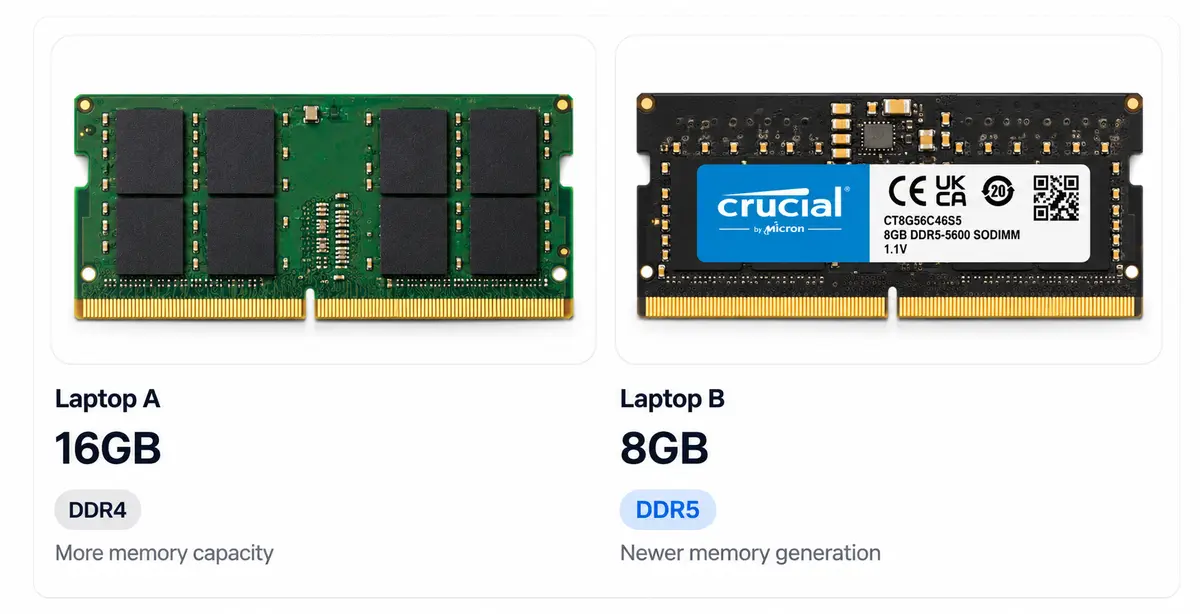
There is another important detail that many laptop buyers overlook: RAM generation. You might have heard terms like DDR3, DDR4, and DDR5 while checking laptop specifications. These are different generations of RAM technology, and each comes with improvements in data transfer speeds, power efficiency, and overall memory performance.
For example, consider two laptops: one has 16GB DDR3 RAM, while the other has 8GB DDR5 RAM. Although the first laptop has twice the memory capacity, the second uses a newer generation of memory technology with significantly higher data transfer speeds. Does that automatically make the 8GB DDR5 laptop better? Not necessarily. The 16GB laptop might handle multitasking better because it has more available memory, while the DDR5 laptop may offer better memory bandwidth.
This is where many buyers get confused. They focus only on how much RAM a laptop has without considering which generation it uses, how fast it operates, and whether it is compatible with the laptop's processor and motherboard.
In this article, we'll break down the differences between DDR3, DDR4, and DDR5, explain what these specifications actually mean, and help you understand what to look for when buying a laptop.
First, What exactly is RAM?
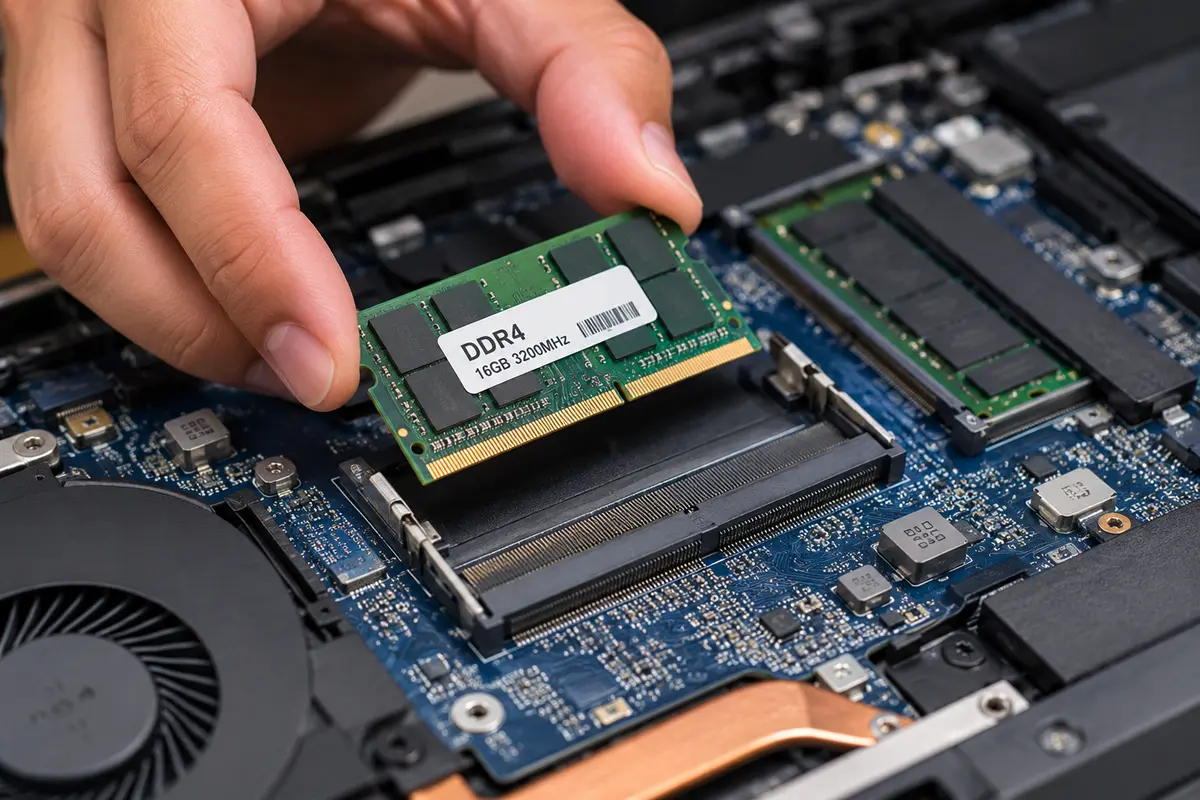
Before we compare DDR3, DDR4, and DDR5, let's understand what RAM actually does inside your laptop.RAM stands for Random Access Memory. Think of it as your laptop's temporary working space. Whenever you open a browser, edit a document, watch a video, or run an application, your laptop uses RAM to keep the data it needs readily available.
Imagine sitting at a desk. You can keep your books, notebooks, and other things within reach while working. A bigger desk allows you to work with more things at once without constantly putting them away. RAM works in a similar way. The more RAM your laptop has, the more applications and tasks it can generally handle simultaneously without running out of memory. But here's something important: RAM is not the same as storage. Your SSD or HDD stores your files, applications, and operating system permanently, while RAM temporarily holds the information your laptop is actively using. That's why RAM is cleared when you turn off your laptop, but your files remain saved.
Now that we understand what RAM does, let's look at something many laptop buyers overlook: RAM Generation.
What Exactly Is RAM Generation, and Why Does It Matter?
You might have seen terms like DDR3, DDR4, and DDR5 when checking laptop specifications. But what do these numbers actually mean? DDR stands for Double Data Rate, and the number represents a generation of memory technology. Over the years, RAM has evolved from DDR3 to DDR4 and now DDR5, with each generation bringing improvements in data transfer speeds, power efficiency, and memory architecture.
Imagine two people working at different desks. Both have the same amount of space, but one has older tools while the other has newer, more efficient tools. Even though they have equal working space, the second person may be able to complete certain tasks more efficiently.
RAM generations work in a somewhat similar way.
DDR3 | An older generation with comparatively lower data transfer speeds. |
DDR4 | Improved speed and power efficiency compared to DDR3. |
DDR5 | A newer generation offering higher bandwidth and improved memory architecture. |
Data Transfer Speed: How Quickly Can RAM Move Data?
One of the biggest improvements between RAM generations is data transfer speed. Think of RAM as a road carrying information between your processor and memory. An older generation has a lower data transfer rate, while newer generations are designed to move more data in the same amount of time.
RAM Generation | Typical Data Rate |
DDR3 | 800–2133 MT/s |
DDR4 | 1600–3200 MT/s |
DDR5 | 4800–6400 MT/s |
These are representative standard data rates; actual supported speeds vary by memory module and platform.
Another important improvement is power efficiency. Power Consumption: Does Newer RAM Use Less Electricity?
As RAM technology evolves, manufacturers work to improve performance while reducing the voltage required to operate memory modules.
RAM Generation | Standard Voltage |
|---|---|
DDR3 | 1.5V |
DDR4 | 1.2V |
DDR5 | 1.1V |
DDR3L and other low-voltage variants exist, so these are standard reference values rather than every module's voltage.
Why does this matter? Lower operating voltage can help reduce memory power consumption, which is particularly useful in laptops where battery life matters.
DDR5 also introduces improvements in power management, including a Power Management IC (PMIC) on the memory module itself.
Physical Design: Why Can't You Mix DDR3, DDR4, and DDR5?
Have you ever noticed that RAM modules have a small notch along their connector?
That notch is not just for design. Its position differs between DDR generations to prevent incompatible modules from being installed in the wrong memory slot.
DDR3, DDR4, and DDR5 also have different electrical requirements and memory-controller support.
This means:
DDR3 cannot be installed in a DDR4 slot.
DDR4 cannot be installed in a DDR5 slot.
DDR5 requires a compatible processor and motherboard.
Even if two RAM modules look similar, they are not necessarily interchangeable.
Which RAM Generation Should You Choose?

In everyday tasks such as browsing, watching videos, attending online classes, and working with documents, you may not notice a significant difference between a good DDR4 and DDR5 laptop. However, DDR5's higher memory bandwidth can benefit demanding workloads, gaming, and systems that rely heavily on memory performance.
So, should you pay more just because a laptop comes with DDR5? Our answer is simple: Not necessarily.
If you're buying a laptop in Nepal, consider these points:
For budget buyers: A laptop with 8GB or 16GB DDR4 can still be a good option for everyday use, provided the processor and other specifications are suitable.
For students and office users: Prioritize sufficient RAM capacity. For comfortable multitasking, 16GB is generally a better starting point than 8GB.
For gamers and creative professionals: DDR5 can offer additional memory bandwidth, particularly when paired with a capable processor and graphics system.
For long-term use: If two laptops have similar specifications and the price difference is reasonable, choosing the newer DDR5 platform can be a sensible investment.
Most importantly, don't purchase a laptop based on RAM capacity or generation alone. Look at the processor, RAM capacity, memory speed, storage, graphics, upgrade options, and overall price.
Remember, 16GB DDR4 can be a better choice than 8GB DDR5, depending on what you need to do with your laptop.
The smartest purchase isn't necessarily the laptop with the newest RAM generation. It's the one that delivers the right performance for your needs and budget.