What Is an AI Laptop? Do You Really Need One?
You may have noticed something new when looking at laptops recently:
“AI PC.”
“AI Laptop.”
“NPU.”
“Copilot+ PC.”
These terms are appearing everywhere, but they can make buying a laptop more confusing than it needs to be.
Does an AI laptop actually make your laptop smarter?
Does it make everything faster?
And most importantly, do you need one?
Let's break it down in simple terms.
So, What Exactly Is an AI Laptop?
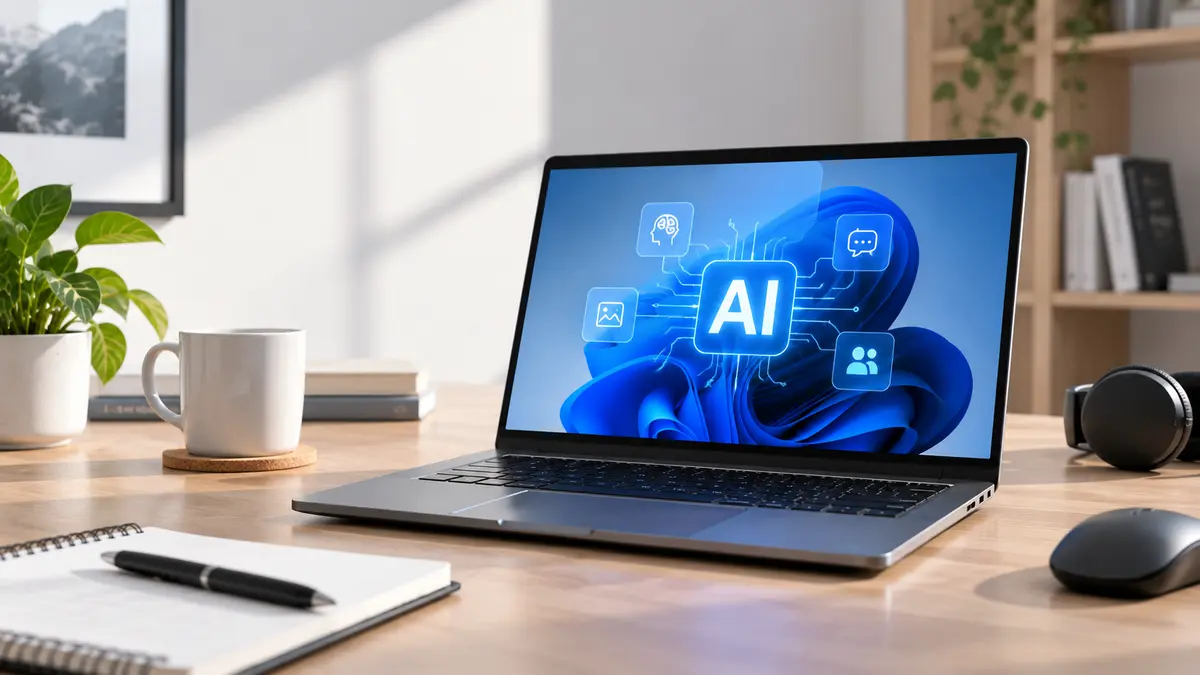
An AI laptop is a laptop with dedicated hardware designed to handle certain AI tasks more efficiently.
The most important new component is called an NPU — Neural Processing Unit.
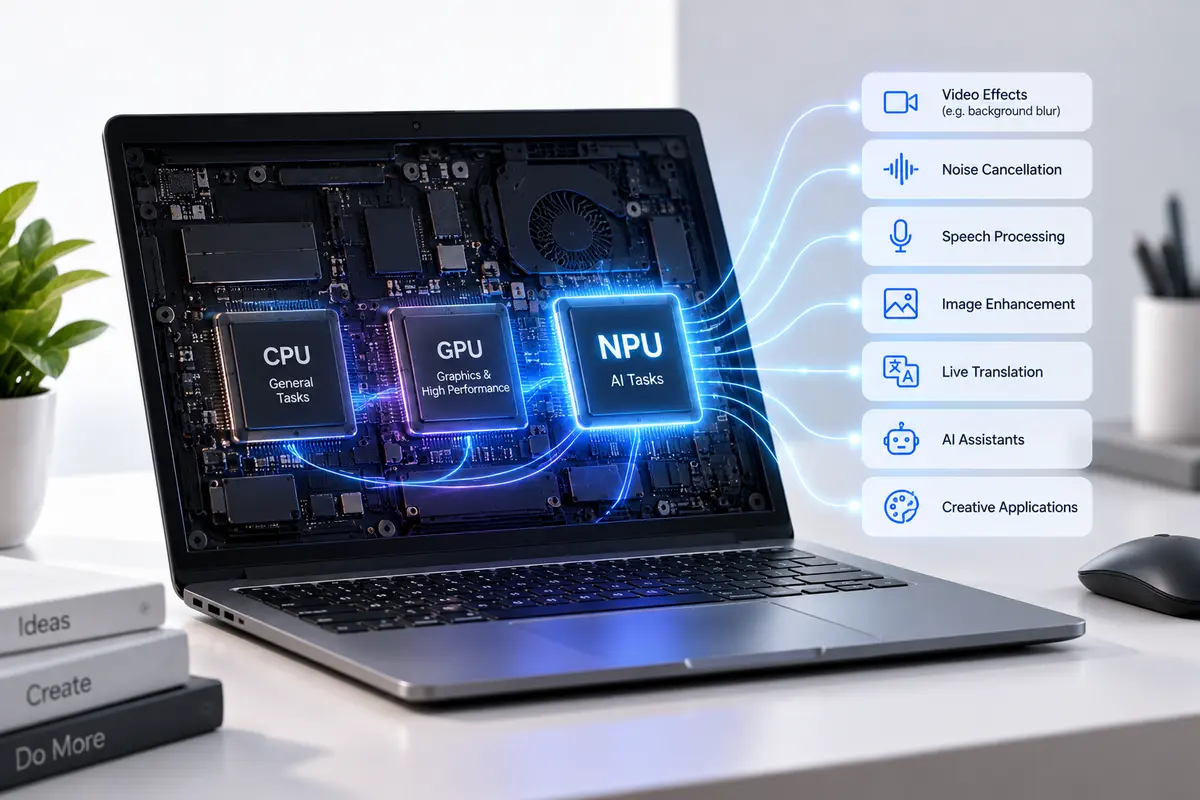
You can think of your laptop as having a small team:
CPU → Handles general tasks
GPU → Handles graphics and demanding parallel workloads
NPU → Handles supported AI tasks efficiently
Modern AI PCs are designed to let these different processors work together depending on the task.
A Simple Example
Imagine you're on a video call.
Your laptop might be doing several things at once:
CPU: Runs Windows and your meeting application.
GPU: Handles the graphics.
NPU: Can help with supported AI features such as background effects, noise reduction, or other AI processing.
Instead of asking one worker to do everything, your laptop can give different jobs to the processor best suited for them.
That's the basic idea behind an AI laptop.
What Is an NPU?
NPU stands for Neural Processing Unit.
The easiest way to understand it is:
An NPU is a specialized processor designed to handle certain AI tasks efficiently.
Unlike traditional AI processing that may rely heavily on the CPU, GPU, or cloud services, an NPU is designed specifically for AI workloads that can run locally on the laptop.
This can be useful for things like:
AI-powered video effects
Noise cancellation
Speech and voice processing
Image enhancement
Live translation
AI assistants
Certain creative applications
The exact features depend on the laptop, processor and software. An NPU doesn't automatically make every application faster.
Does an AI Laptop Make Everything Faster?
The simple answer: No.
This is probably the biggest misunderstanding about AI laptops. Having an NPU doesn't mean that your laptop will suddenly open Chrome faster or make Microsoft Word run twice as fast. For normal laptop performance, things like the CPU, RAM, SSD and GPU still matter.
Think of the NPU as an extra tool, rather than a replacement for your main processor.
For example:
A laptop with a powerful CPU and 16GB RAM but no NPU can still be much better for your needs than a weaker laptop that simply has an “AI” label.
So don't buy a laptop just because you see AI written on the box.
What Can You Actually Do With an AI Laptop?
This is where AI laptops become interesting. As software continues to add AI features, some tasks can be processed directly on the laptop.
For example, AI can help with:
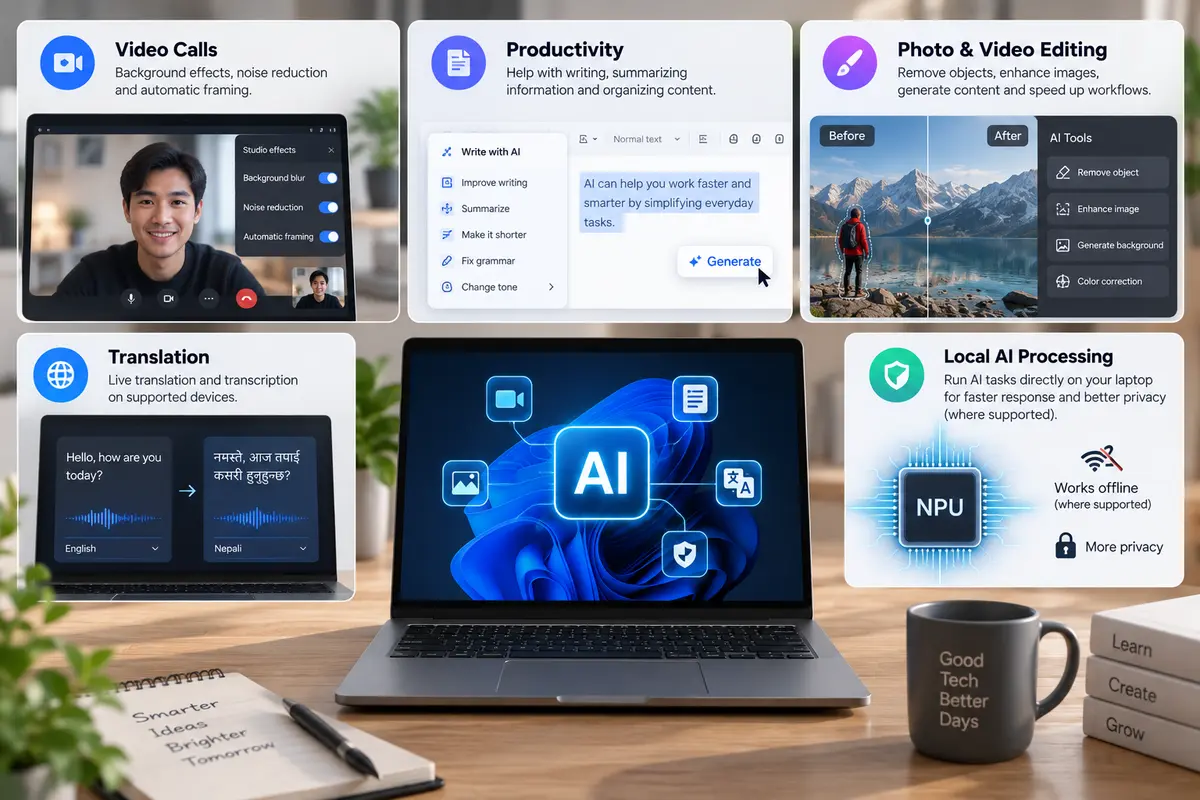
But remember: not every AI feature runs locally, and not every AI laptop supports every AI feature.
What Is a Copilot+ PC?
You may also come across another term:
Copilot+ PC.
This is not simply another name for every AI laptop. It is a specific category of Windows PCs that meet Microsoft's hardware requirements.
Microsoft currently requires a Copilot+ PC to have an NPU capable of 40+ trillion operations per second (TOPS), along with at least 16GB RAM and 256GB SSD.
So it's useful to remember:
AI Laptop = broad category
Copilot+ PC = specific Windows category with Microsoft's requirements
So, Do You Really Need an AI Laptop?
For many people, no — not yet.
If your laptop is mainly used for:
Microsoft Office
Web browsing
YouTube
Online classes
Email
Basic programming
Movies and entertainment
you don't necessarily need an AI laptop.
A good processor, sufficient RAM, fast SSD, good display and long battery life may be much more important for you.
Who Should Consider an AI Laptop?
An AI laptop becomes more interesting if you regularly use AI-powered applications.
🎨 Content Creators
If you're doing photo, video or graphic work and your software uses AI features, an NPU can become useful.
💼 Professionals
AI-powered productivity, meeting and communication tools can benefit from local AI processing where supported.
👨💻 Developers
Developers working with AI applications may benefit from having dedicated AI hardware available locally.
🚀 People Buying for the Long Term
If you're buying a laptop that you expect to keep for several years, having newer AI hardware can provide access to software features as they become available.
That doesn't mean an AI laptop will automatically become better over time—but it gives you hardware designed for this direction of computing.
What Should You Look at Before Buying an AI Laptop?
Don't let the word “AI” become the only thing you look at.
Check the whole laptop:
1. Processor
Is the CPU powerful enough for your work?
2. RAM
8GB may be enough for basic use, while 16GB or more can be useful for heavier workloads.
3. SSD
A fast SSD is important for everyday responsiveness.
4. Display
Check resolution, brightness, size and panel quality.
5. Battery
Especially important if you travel or work away from a charger.
6. GPU
Important for gaming, 3D work and demanding creative applications.
7. NPU / AI capability
Check what AI hardware the laptop actually has—not just whether the box says “AI.”
8. Warranty & Build Quality
A good laptop should also be reliable and properly supported.
The Bottom Line
AI laptops are not just a marketing name. They introduce dedicated hardware for AI workloads, particularly through the NPU. But that doesn't mean everyone needs one. If you're buying a laptop mainly for Office, browsing, studying, entertainment or basic work, focus first on getting a well-balanced laptop. If you use AI-powered software, creative applications, advanced productivity tools, or simply want newer AI capabilities, an AI laptop may make more sense.The important thing is to understand what you're paying for.
Don't buy a laptop just because it says “AI.” Buy the laptop whose features actually help you do your work better. And remember:
AI is one part of a laptop—not the whole laptop.